 Samurai Dynasty Online
 Folio Forge
One installer
Works with no AI model at all
Every tool is in one download. Search, takeoff, schedules, Folio Review's own checks and Folio's fixed answers all work before you add a model.
PDF markup · Takeoff · Schedules · Built for construction
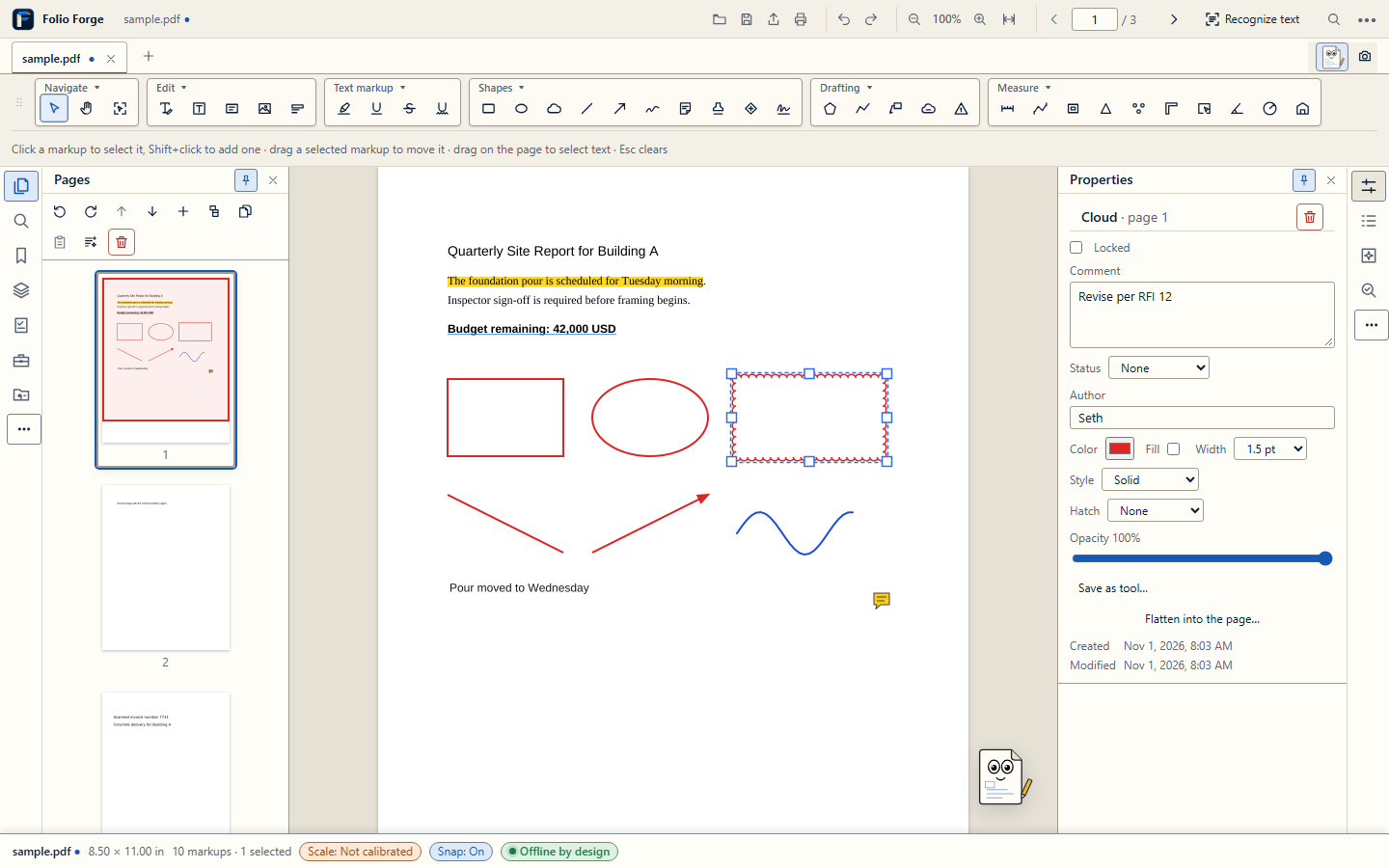
Folio Forge is a desktop PDF editor for estimators, project managers and supers. Take off quantities, mark up sheets, build the schedule and ask questions of the specs, while your documents stay on your computer.
Windows desktop · Android field app · 14-day free trial at launch
Your AI and workflow run offline, with a model you choose. Your documents are not uploaded to us.
Measurements are never rounded for storage, totals or export. Rounding is display only.
Answers from your documents cite the passage they came from, and Folio asks instead of guessing.
One licence covers your Windows PC and one Android phone or tablet running the field app.
Features
The tools estimators reach for, built to work together across every open sheet, spec and schedule.
01 · MEASURE & TAKE OFF
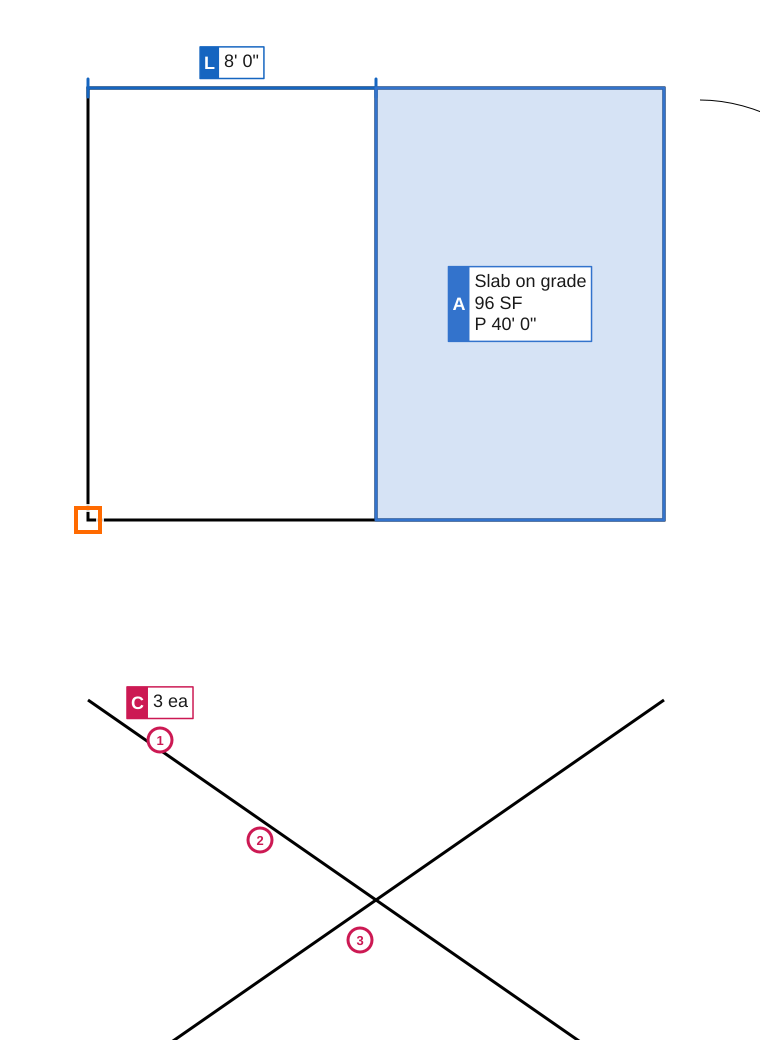
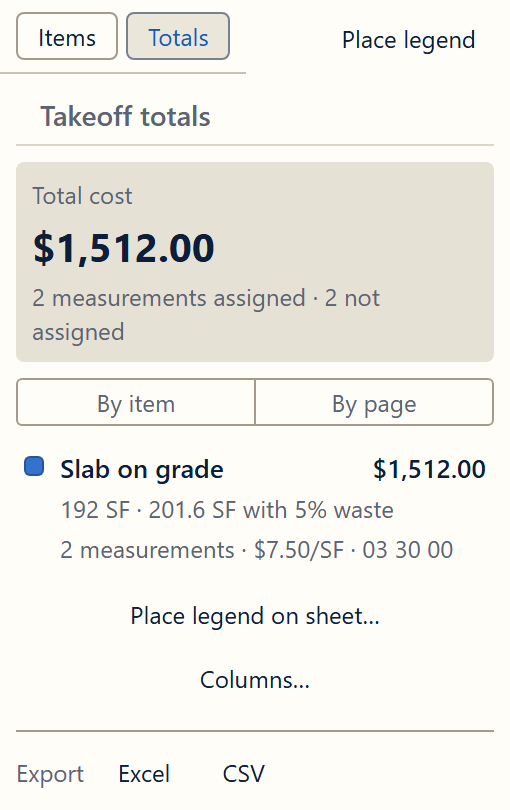
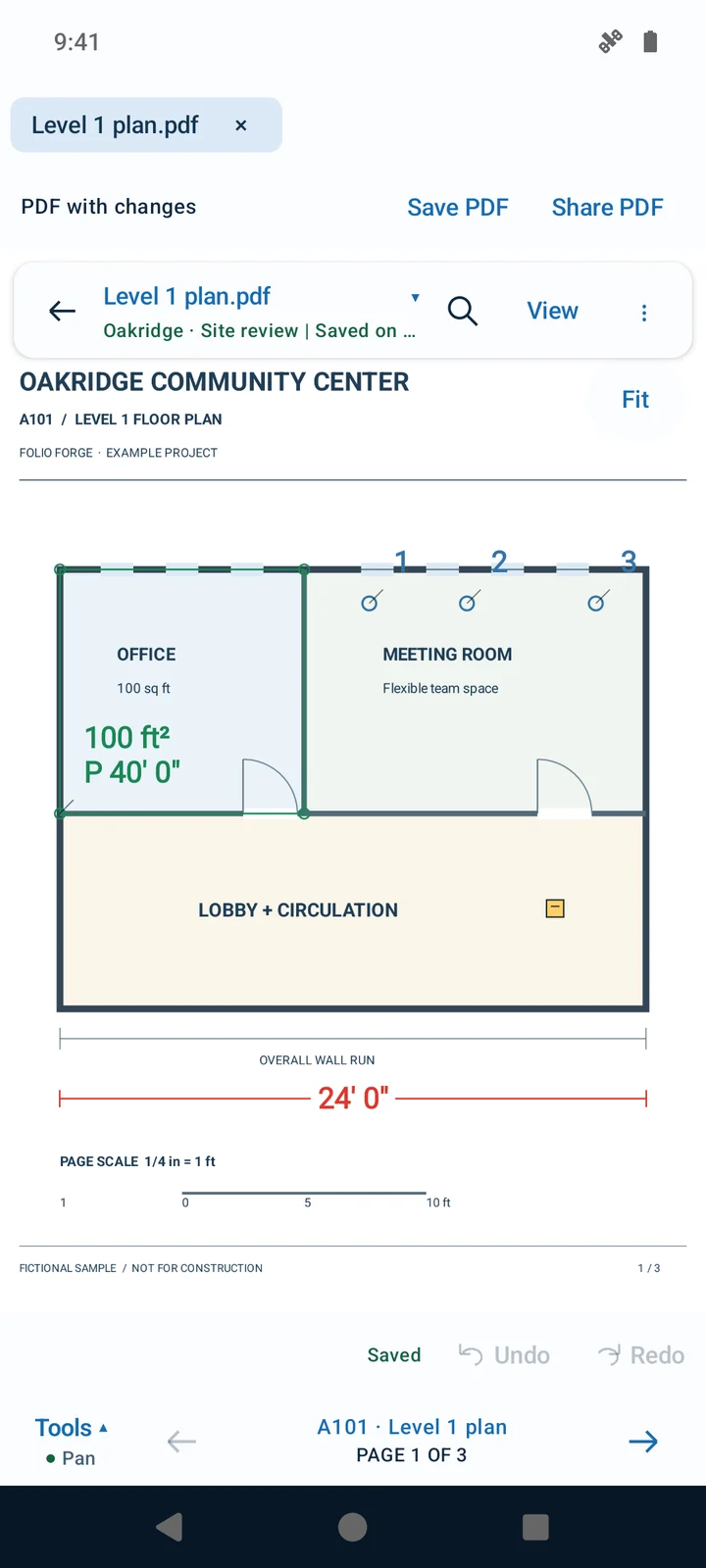
Set a scale per sheet or per viewport, then measure lengths, areas, perimeters, counts, angles, radii and slopes. Assign measurements to takeoff items with unit costs and waste, and see totals by item, page or space.
02 · WALLS
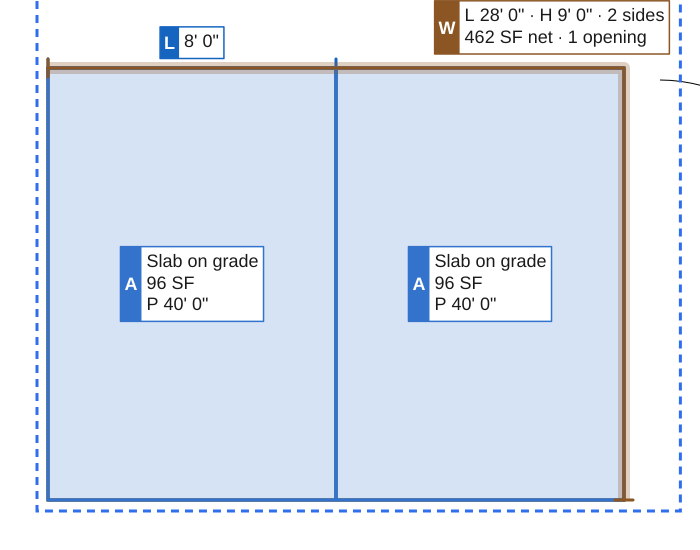
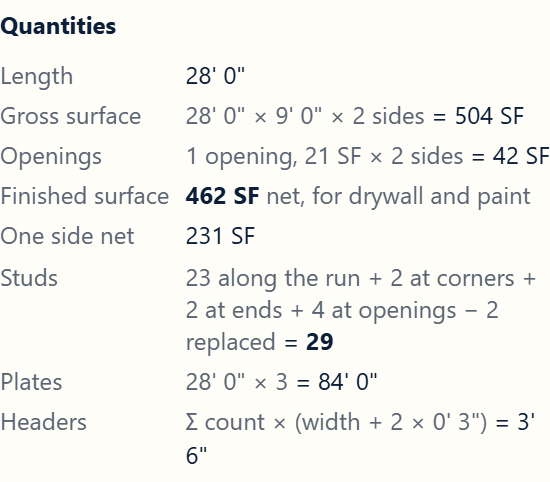
Define wall types once, trace the run, and Folio Forge works out the drywall, paint and stud quantities for each side. Found walls are listed for review before they count.
03 · MARK UP
Clouds, callouts, revision deltas, stamps like Approved and As-Built, symbols, hatch fills and material patterns. Keep them in layers, give them statuses and your own columns, and lock what is final.
Save any styled tool to the Tool Chest and reuse it on every job.

04 · SCHEDULES
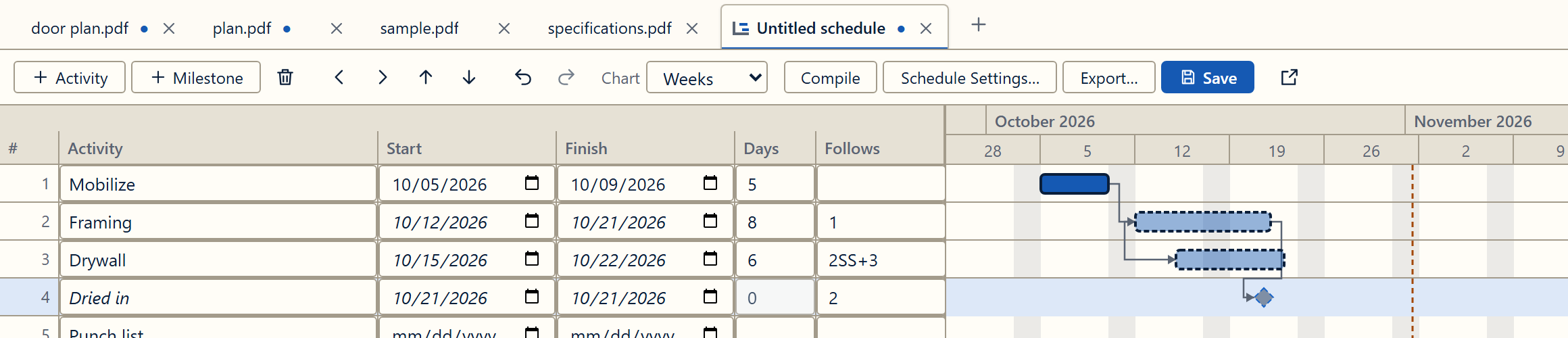
Activities, milestones and links like "follows 2, start to start plus 3 days". Compile phases straight from the spec sections, then export to PNG, PDF or Excel. It works as a standalone Gantt maker too.
05 · FOLIO, THE ASSISTANT
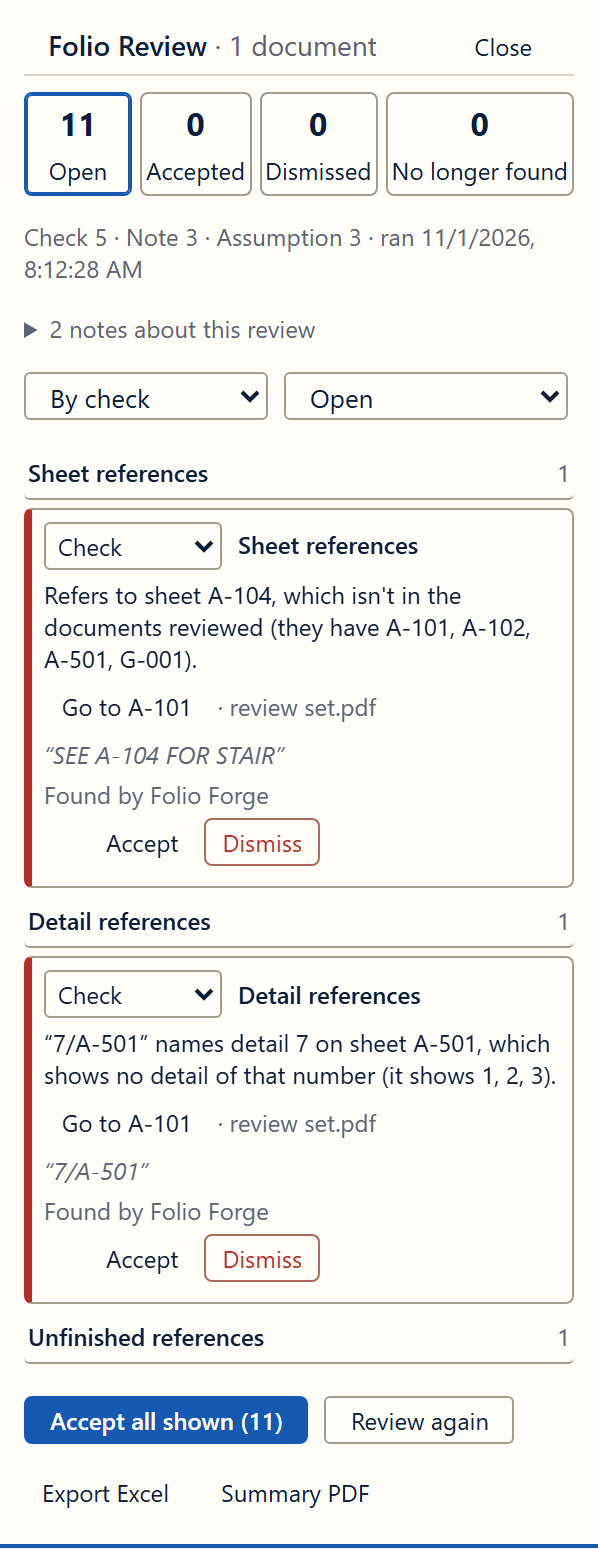
Ask "how long does the slab cure?" and Folio answers from the document, citing the section it came from. Search across every open tab, keep notes per project, and let Folio Review check the set for conflicts and missing scope.
From this document, from your notes, or general. Never mixed.
A missing date or value gets a question, never a made-up number.
06 · DOCUMENTS
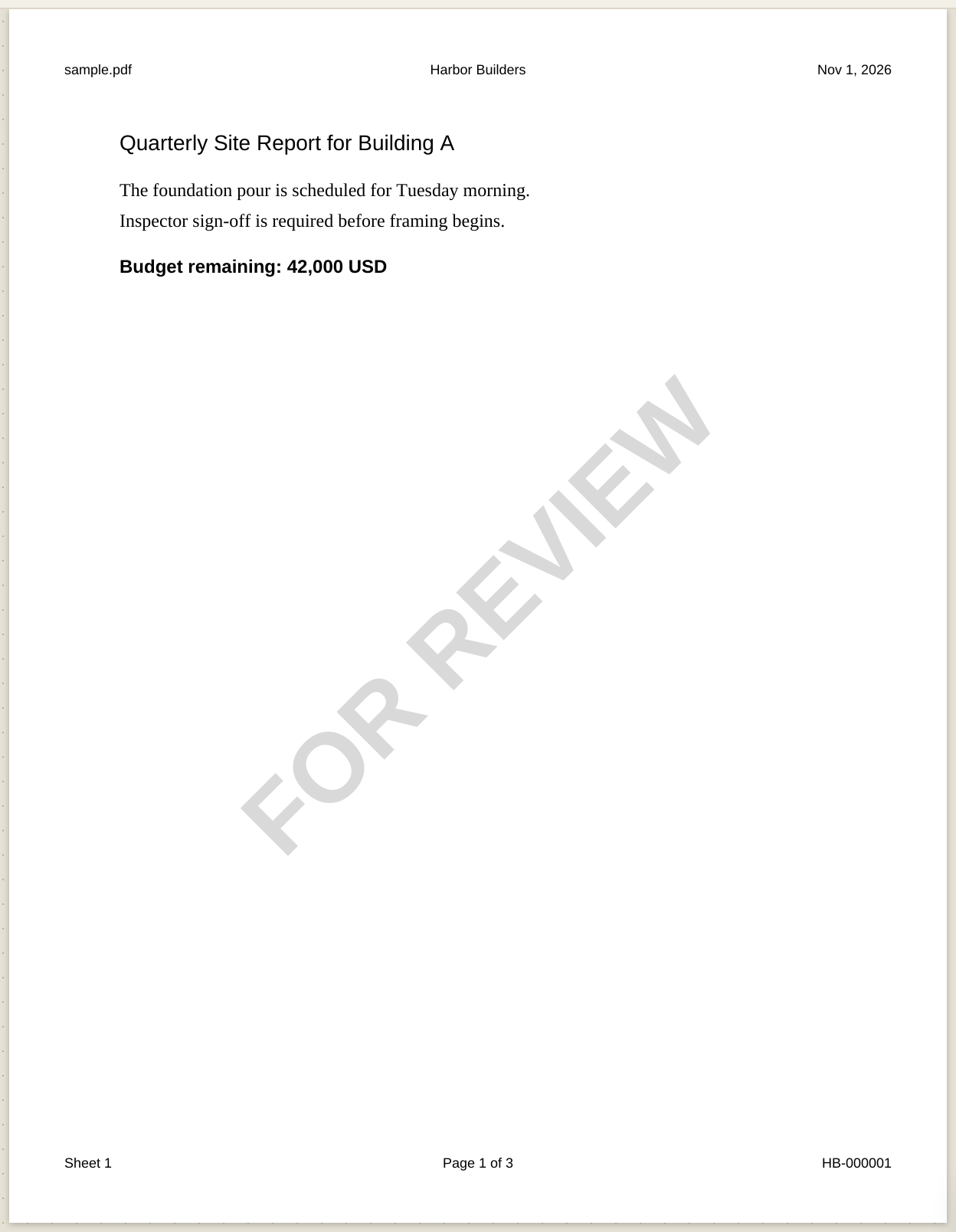
Headers and footers, watermarks and Bates numbers across every page or every open tab. Number and link sheets, compare revisions, fill and build forms, sign, redact and remove hidden data before it leaves the office.
Redaction removes the text, line work and image pixels under the mark, plus hidden comments and form fields.
AI
Folio Forge doesn't ship or pick a language model for you. Add one that fits your computer, and it runs offline on your own machine. You choose the model, and its licence is between you and its maker.
Works with no AI model at all
Every tool is in one download. Search, takeoff, schedules, Folio Review's own checks and Folio's fixed answers all work before you add a model.
A GGUF file that fits your computer
Download a language model from a public library such as Hugging Face and choose it in Preferences. Folio Forge never downloads one for you.
Cited to your documents
Sentences Folio shows as coming from your documents cite a passage and are checked against it. General answers are labelled, and stay off unless you turn them on.
Folio Forge doesn't make, supply or endorse any AI model. Schedule edits and AI review checks stay off until you allow them. Check AI answers before you rely on them.
FIELD APP
The Folio Forge Android app opens the same sheets and markups on a phone or tablet. Your licence covers one Android phone or tablet alongside your Windows PC.
OFFLINE AI AND WORKFLOW
Documents are opened, marked up and saved on your computer, and are not uploaded to us. The program itself may connect to our servers, for example for licensing.
The model you add runs locally. No API key, no per-question charge.
Chat history, notes and indexes are stored encrypted and can be deleted any time.
Use Claude or ChatGPT only if you choose, share only the tabs you tick, and review changes first. What you share goes to that provider.
US$720 one-time with updates for this release year and the next, or US$39.99 a month (US$360 a year). 14-day free trial.
Folio Forge works on PDFs, including PDFs exported from CAD. It reads AutoCAD's text comments, but it does not open DWG or RVT files.
Yes. Quantities depend on the drawings and the scales you set. Always check measurements, totals and AI answers against the contract documents.
One person, on one Windows PC and one Android phone or tablet. A second PC needs its own licence. Moving to a new PC? Release the old one in the app, or email us. Companies buy one licence per person.
Not by default. The AI model you add runs offline on your computer. If you choose to use Claude or ChatGPT through an optional MCP bridge, only the tabs you share go to that provider, under its own terms.
A language model in GGUF format that llama.cpp can run and that fits your computer's memory. The user manual explains how to choose a size and lists the models Folio Forge's own tests have used, as a record, not a recommendation. Folio Forge doesn't supply or endorse any model, and every tool works without one.
Folio Forge v1 is in its final stretch. Join the early-access list below and we'll email you when it's ready to download.
Leave your email and we will tell you when Folio Forge is ready to download. No newsletter, no sharing your address.